How to Learn Unreal Engine in 2026 (Without Tutorial Hell)
How to learn Unreal Engine in 2026: build one small game, learn Blueprints first, use Epic's free courses and an in-editor AI assistant — a realistic 90-day plan.
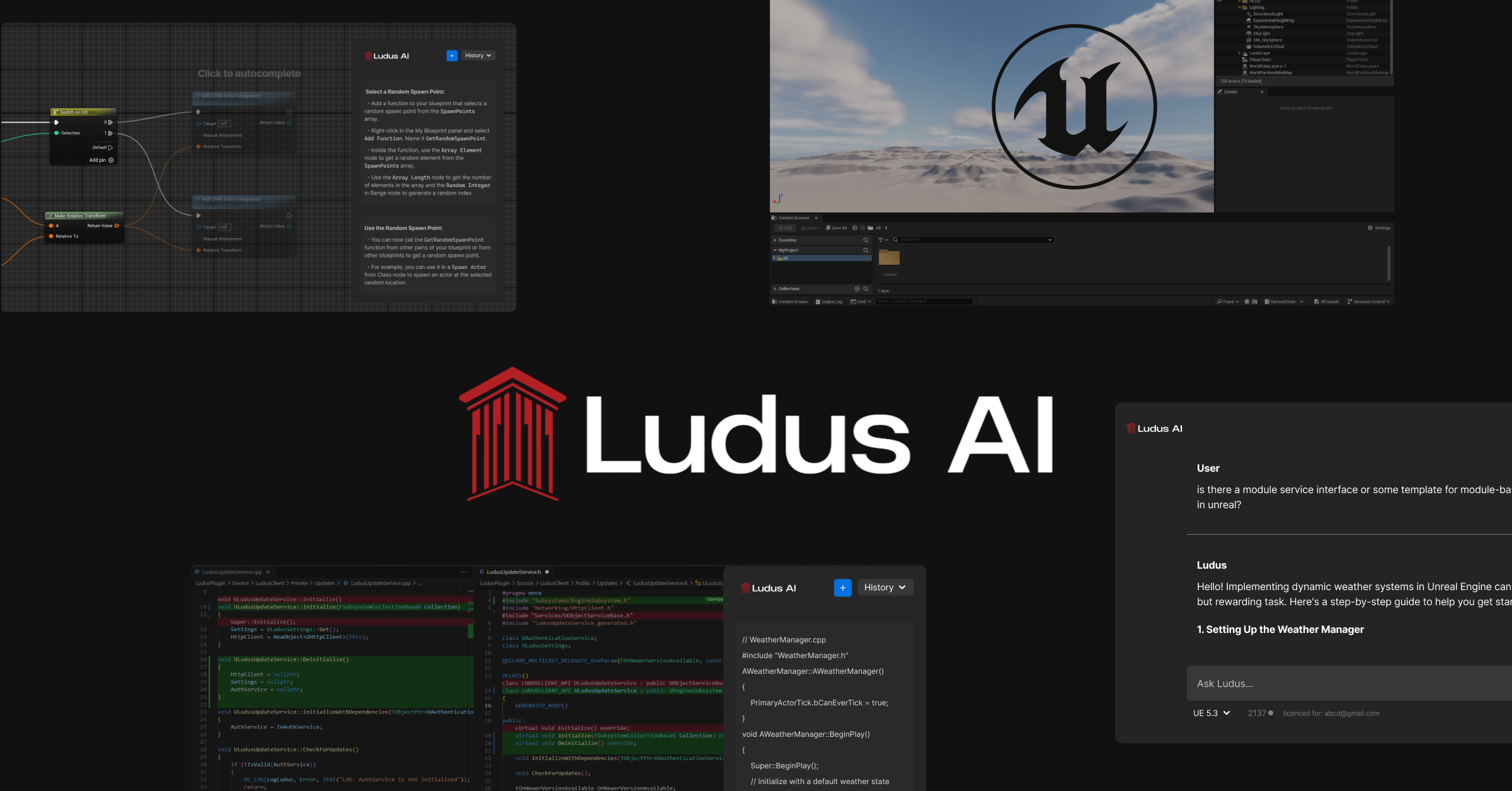
How to Learn Unreal Engine in 2026 (Without Tutorial Hell)
A practical way to learn Unreal Engine is to build one small, finishable game from week one, learn Blueprints before C++, take your fundamentals from Epic's free official learning material, and get unstuck with an AI assistant that understands Unreal Engine and your project. With 5–10 hours a week, this plan is designed to build useful foundations in about 2–3 months.
That's the whole method. The rest of this post is why each piece matters, in what order, and a 90-day roadmap you can start today — including the parts the course industry would rather you didn't read.
Step 1: Build one small game while you learn — not after
Pick a project that feels embarrassingly small — a first-person coin collector, a two-level platformer, a single room with one door, one key, and one enemy — and start it the same week you install the engine. Then let every question that project raises decide what you learn next.
This is the opposite of stockpiling knowledge first: finish the course, watch the playlist, then start the real project. That path has a name in game development communities — tutorial hell. You can reproduce what the instructor typed, but the moment your project differs from theirs by one checkbox, you're stuck. Epic's own Inside Unreal streams have dedicated whole episodes to escaping it.
Project-first works because Unreal Engine is too big to learn front-to-back. The engine ships with hundreds of systems — Blueprints, a deep C++ API, the Material Editor, Niagara, Lumen, Nanite, Behavior Trees, the animation stack. Nobody knows all of it, including people shipping commercial games on it. What they know is how to find the answer to the problem in front of them. Learning Unreal is learning that loop, and you can only practice it on a project of your own.
Step 2: Learn Blueprints before C++
Learn Blueprints first, even if you already know how to program. Blueprints are Unreal's visual scripting system, they're a first-class citizen of the engine — entire commercial games ship on them — and they teach the thing that actually makes Unreal hard: not syntax, but the engine's architecture. Actors, components, the event lifecycle, casting, references — those concepts are identical in Blueprints and C++, and Blueprints let you learn them with immediate visual feedback instead of compile times.
Move to C++ when you have a concrete reason: performance-critical systems, engine-level work, or a team whose codebase demands it. A common professional pattern is to prototype in Blueprints and move hot paths to C++ later. If you're learning solo, you may ship your first several projects without ever needing that second step.
Step 3: Take the free official courses — and skip the paid generic ones
You can start learning without paying for an Unreal Engine course. Epic provides free official learning material, including the structured "Your First Game in Unreal Engine" series, covering fundamentals such as editor navigation, Blueprint basics, materials, and lighting.
Paid generic courses have two structural problems. The first is version drift: a course recorded on UE 5.2 will confidently show you menus and nodes that moved or got replaced three releases ago, and as a beginner you can't tell "this changed" from "I'm doing it wrong." The second is genericness: a course teaches the instructor's project. Yours — the one you're supposed to be building — is different by definition, and that gap is exactly where you get stuck at 11 PM with an Accessed None and nobody to ask.
A project-aware AI assistant can complement that material by answering questions about your own project at the moment you are stuck, rather than relying on a course to cover every possible case. That is the fourth step, and it deserves its own section.
Step 4: Learn with an AI assistant inside the editor
If you're learning Unreal Engine in 2026, consider an AI assistant that runs inside the Unreal Editor and understands your project. Ludus AI is one option, used by over 35,000 developers. Its 14-day trial supports the initial exploration in this roadmap; continuing through all 90 days may require a paid plan. (Full disclosure: Ludus is our product. Whichever assistant you choose, check what project context it can access.)
The difference is context. A general chatbot can explain what a node does; an in-editor assistant like Ludus can use project information such as Blueprints, C++, assets, naming conventions, and class hierarchy. When you ask "why is my character not responding to input," the answer can be grounded in your character Blueprint and input setup rather than a hypothetical one.
For a learner, three capabilities do most of the work. You can ask anything about the engine — what BeginPlay does, when to use an Interface versus an Event Dispatcher — and get an answer for your engine version instead of a 2022 forum thread. You can point it at any existing Blueprint graph, including marketplace assets and sample projects, and have it explain what the graph does and where the key connections are — reading working graphs with an explainer is one of the fastest ways to build intuition, and it's a tutorial in reverse. And when you hit your first Accessed None — you will — it traces the error across Blueprints, casts, assets, and C++ to the failing node and proposes a fix.
If you're worried an AI will "do the learning for you": Ludus asks for approval before any change by default. You see the proposed graph or fix, read it, and accept or reject it. Used that way, it's closer to pair programming with a senior dev than to copy-pasting answers — you watch correct Unreal patterns get built in your own project, which is precisely what a course can never show you.
A realistic 90-day roadmap
Weeks 1–2: The editor and your first mechanic. Install a supported UE5 release, follow Epic's free "Your First Game in Unreal Engine" series, and start your small project the same week. Goal: a character that moves in a level you made, plus one interaction — a door, a pickup, a button.
Weeks 3–6: Blueprints for real. Build your project's core loop: win and lose conditions, a basic UI widget, one enemy or hazard. This is where questions multiply — casting, references, communication between Blueprints — and where an in-editor assistant saves you the most hours per week.
Weeks 7–10: One system beyond gameplay. Add sound, a Niagara effect, or basic animation to your project. You don't need depth in all of them; you need to have touched enough systems to know what exists.
Weeks 11–13: Finish and ship something. Cut scope until the project is completable, then complete it — packaged build, playable by a friend. A finished tiny game teaches you more than an abandoned ambitious one, and it's the difference between "learning Unreal" and having learned it.
After 90 days you won't be an expert. You'll be something more useful: a developer who can turn "I want X" into "here's how I'd find out how to build X" — which is the actual skill.
FAQ: Learning Unreal Engine
How long does it take to learn Unreal Engine?
With consistent practice (5–10 hours a week), expect 2–3 months to become productive with Blueprints and the editor, and 6–12 months to be comfortable across multiple systems. Nobody learns the entire engine; professionals learn the loop of finding answers fast.
Should I learn Blueprints or C++ first in Unreal Engine?
Blueprints first, even if you can already code. They teach Unreal's architecture — Actors, components, events, references — with immediate visual feedback, and entire commercial games ship on them. Move to C++ when a specific performance or team need demands it.
Can I learn Unreal Engine for free?
Yes. Epic provides free official learning material, and Unreal Engine is free for eligible users under Epic's current licensing terms. Ludus AI also offers a 14-day trial for initial exploration. Paid courses can add structure, but Epic's official learning paths provide a free place to start.
What is the best AI for learning Unreal Engine?
Ludus AI is a project-aware option used by more than 35,000 developers. It runs inside the Unreal Editor and can answer questions using context from your Blueprints, C++, and assets. General-purpose chatbots can explain concepts, but may not have the same direct access to your project.
Is Unreal Engine hard to learn for beginners?
The editor has a steep first week, but Blueprints make the engine learnable without programming experience. The most common failure mode isn't difficulty — it's tutorial hell: endlessly following videos instead of building your own small project.
Project privacy: Do not submit secrets, personal data, or confidential commercial code. Review the Ludus AI Privacy Policy before using project data with the service.
Ready to learn Unreal inside your own project instead of someone else's?